We have all been there. You are rushing to catch the Dubai Metro, you tap your card at the gate, and instead of the gate opening, you hear that dreaded error beep. “Insufficient Balance.” It is frustrating, causes delays, and can be easily avoided.
Fortunately, the Roads and Transport Authority (RTA) in Dubai has made it incredibly simple to stay on top of your travel expenses. You no longer need to visit a ticket counter just to see how much money is left on your card. Whether you are sitting on your couch or walking to the bus stop, checking your NOL card balance is a seamless process.
This guide covers everything you need to know about checking your balance using the official website, mobile apps, SMS services, and physical kiosks.
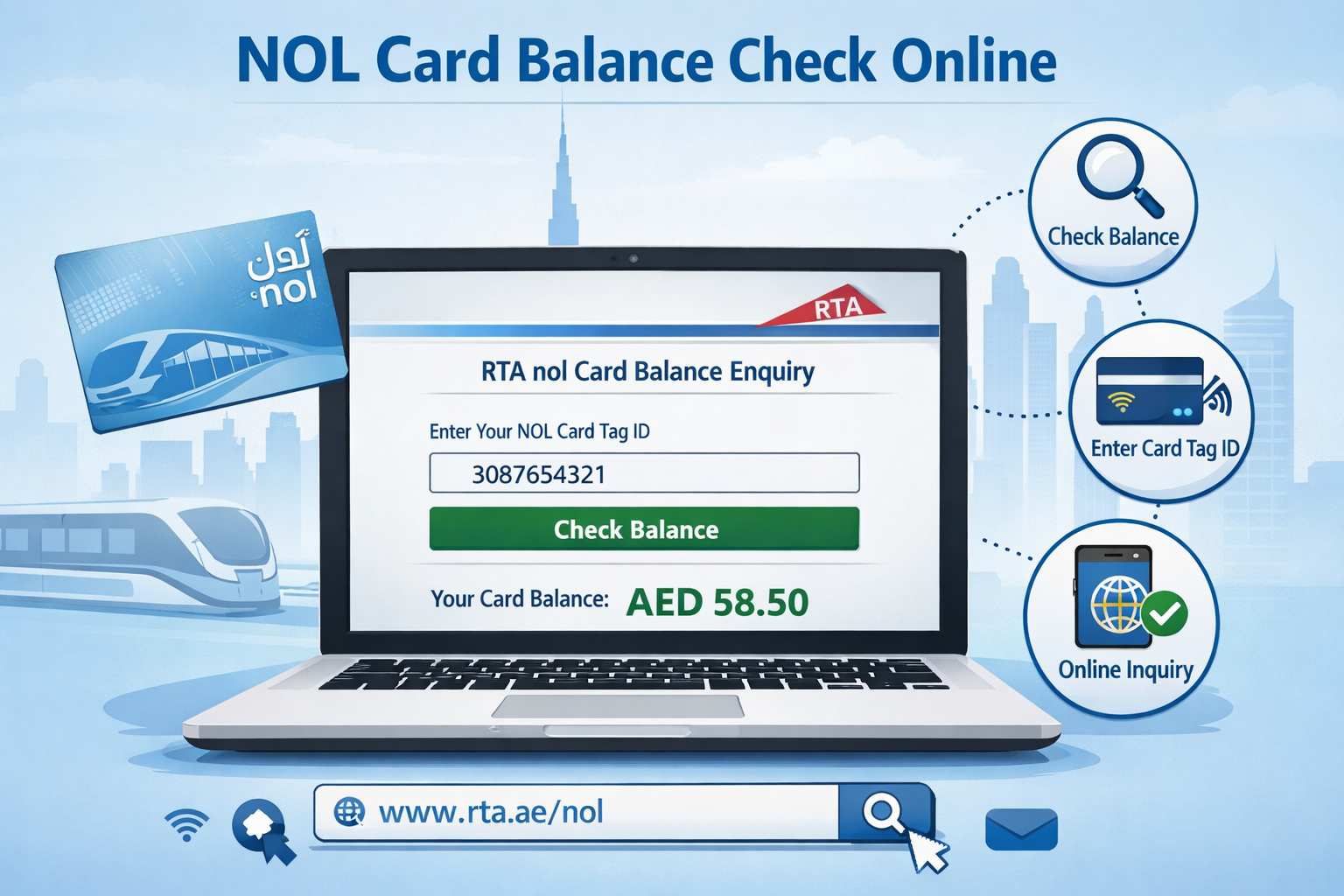
1. Check Balance via the RTA Website
The most direct way to view your credit without downloading any extra software is through the official RTA portal. This platform provides up-to-date information and is accessible from any browser.
Follow this simple procedure:
- Visit the Portal: Go to the official RTA website (rta.ae).
- Access Public Transport: Find the “Public Transport” section on the homepage.
- Select Check Balance: Click on the “Check Nol Balance” option.
- Enter Your Details: You will need your Nol Tag ID.This is the 10-digit number on the back of your nol card.
- View Results: Click “Search.” The site will display your current balance, pending credits, card expiry date, and recent transaction history.
This method is ideal if you are on a desktop computer or prefer not to install mobile applications.
2. Check Balance via the RTA Nol Apps
For those who prefer managing their travel on the go, mobile apps offer the ultimate convenience. You can check your balance, top up instantly, and even manage multiple cards for family members.
There are specific apps available depending on your device:
- Android Users: Download the app from the Google Play Store.
- iOS Users: Get the official Nol app from the Apple App Store.
- Huawei Users: Download the Nol Pay app from the AppGallery.
Steps to check your balance on the app:
- Log In: Open the application and log in with your ID and password. If you are a new user, you will need to register first.
- Find Card Info: Navigate to the “Check card info” section. You will typically see this alongside options to “Top up nol card” and “Purchase travel pass.”
- Enter Tag ID: Input your 10-digit Nol Tag ID (or scan the card using NFC if your phone supports it).
- View Balance: Your remaining balance will appear on the screen immediately.
3. Check Balance via SMS
What happens if you don’t have internet access or a smartphone? The RTA has a solution for that, too. The SMS service is a game-changer for offline users, allowing you to check transactions and balances via text message.
How to use the SMS service:
- Register: You must first register your Nol Tag ID with your phone number.
- Compose Message: Open your messaging app.
- Send ID: Send your Nol card Tag ID to the number 511.
- Check Balance: Once registered, you can simply text the word “Balance” or “Bal” to 511.
- Receive Update: You will receive a reply displaying your current balance and recent history.
4. Check Balance at Metro Stations
If you are already at the station, checking your balance is part of the physical infrastructure. Every metro station in the UAE is equipped with vending machines designed for this exact purpose.
Here is what to do:
- Locate the nearest ticket vending machine at the station.
- Find the card reader slot or the contactless reader pad.
- Insert or tap your card.
- Select “Check Balance” from the on-screen menu.
- Wait a moment for the machine to process the request, and your balance will be displayed.
5. Check Balance at Merchant Shops
Did you know you can use your NOL card for more than just transport? Many convenience stores and supermarkets across Dubai accept NOL cards for payment.
If you are at an authorized merchant shop (like Zoom stores in metro stations), you can simply ask the shopkeeper to check your credit. Hand them your card, and they can scan it to tell you exactly how much money is remaining or top it up for you right there.
Understanding the Different Types of Nol Cards
Knowing which card you own helps you understand the costs and benefits associated with it. Here is a breakdown of the current Nol card options available in Dubai.
1. The Silver Card
This is the standard card used by most daily commuters. It works on all RTA transport modes and can be used for non-transport payments.
- Cost: Dh25 (includes Dh19 credit).
- Limit: Dh1,000 for anonymous users; Dh5,000 for registered users.
- Validity: 5 years.
2. The Gold Card
If you prefer a more comfortable journey, this card grants access to the Gold Class cabins on the Metro and Tram. Note that rides cost double the standard fare.
- Cost: Dh25 (includes Dh19 credit).
- Limit: Dh1,000 for anonymous users; Dh5,000 for registered users.
- Validity: 5 years.
3. The Red Ticket
This is a paper ticket ideal for tourists or occasional users. It is disposable and valid for only one mode of transport at a time (e.g., Metro only).
- Cost: Dh2 per ticket.
- Limit: Valid for up to 10 single trips or 5 daily passes.
- Validity: 90 days or 10 trips.
4. The Personal (Blue) Card
This card is linked to your Emirates ID, making it secure against theft or loss. It offers concession fares (50% off) for eligible groups (students, seniors, people of determination).
- Cost: Dh70 (includes Dh20 credit).
- Limit: Up to Dh5,000.
- Validity: 5 years.
5. Virtual Nol Card
For the tech-savvy traveler, the Virtual Nol Card allows you to use your Samsung or Huawei smartphone to pay for trips using NFC technology. It works on Metro, buses, trams, and marine transport, as well as over 2,000 retail shops and parks.
Where to Buy a NOL Card
Getting your hands on a card is easy. The RTA ensures accessibility for everyone through various purchase points:
- Ticket Office Machines: Located at all Metro and bus stations.
- RTA Website & Apps: Apply online and have it delivered (for Personal cards).
- Authorized Sales Agents: Many convenience stores and newsstands across Dubai sell Silver cards.
- Customer Happiness Centers: Visit any RTA center for assistance.
Need Help? Contact RTA Customer Service
If your card is lost, damaged, or you are facing technical issues, the RTA customer service team is available 24/7 to assist you.
- Call Centre: 800 90 90
- Overseas Callers: +971 4 605 1414
- Email: ASK@rta.ae
- Social Media: You can also reach out via the RTA’s official Twitter, Instagram, or Facebook pages.
Travel Smart in Dubai
Dubai’s public transport system is world-class, but it relies on you having a valid ticket. By using the RTA website, mobile apps, or SMS services, you can ensure you never get stuck at a gate again. Choose the method that fits your lifestyle best and enjoy a hassle-free commute across the city.